What you need to know
You can view your Separated Service Total summary on JPA separation to know how many nights you have spent away from your normal service duty.
What you need to do
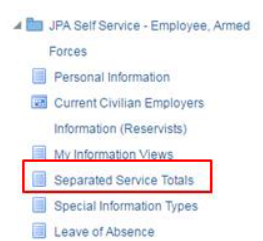
- logon to JPA and select JPA Self Service -Employee, Armed Forces > Separated Service Totals
The JPA Individual Separated Service Totals screen is displayed.
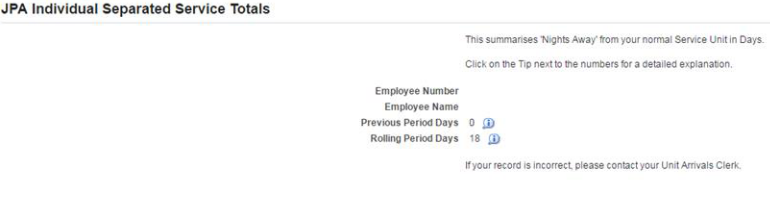
- click on the Tip icon next to the numbers for a detailed explanation of your Previous Period Days or Rolling Period Days
If your Separated Service Totals are incorrect, contact your Unit Arrivals Clerk.
