What you need to know
You are required to indicate your consent or non-consent for the MOD to disclose your contact details data to 3rd parties or use of your contact details data for internal marketing purposes. If you are unable to access JPA, contact your Unit HR Admin.
If you have a Defence Gateway account you can do this from your own personal device on the MyDetails app (part of the My Series).
Please see information below for guidance on completing all sections within the DPA Legislation Compliance.
What you need to do
To add or update data protection legislation compliance preferences, you need to:
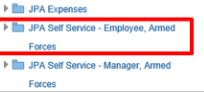
- logon to JPA and select JPA Self Service - Employee, Armed Forces
- click DPA Compliance under Extra Information Types
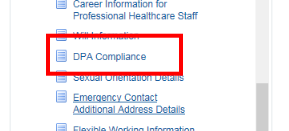
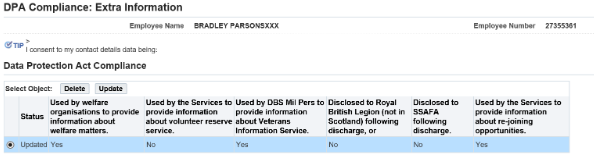
The DPA Compliance: Extra Information screen will be displayed.
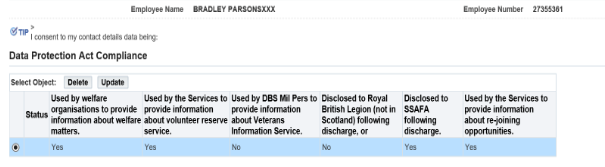
- click Add if no details currently held or Update if details held need to be amended
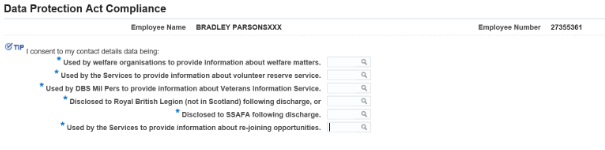
- enter Yes or No against each statement of use or disclosure as required
- click Apply
- review the values entered and click Next
- if necessary, click Update and make amendments as required
Review the summary, click next and Submit.
