What you need to know
You can view operational and non operational vaccination details within JPA.
If you have a Defence Gateway account you can do this from your own personal device on the MyHealth app (part of the My Series).
What you need to do
To view vaccination information on JPA you will need to:
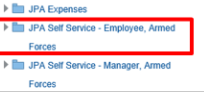
- logon to JPA and select JPA Self Service - Employee, Armed Forces
View operational vaccinations
If you want to view operation vaccination information you need to:
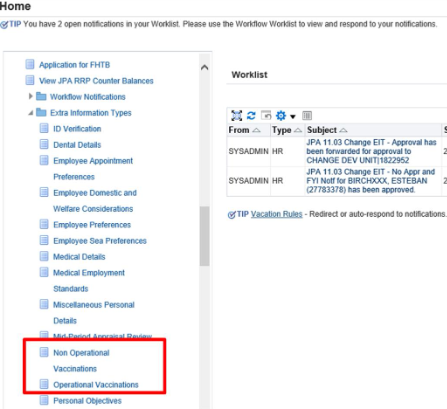
- click on the Operational Vaccinations link under the Extra Information Types section
The Operational Vaccinations: Extra Information screen will open.
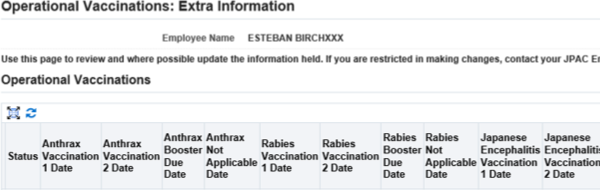
The screen will provide details of all your operational vaccinations. To view all of the information you may need to move your horizontal scroll bar to the left or right. If you need to change any details or have related queries contact your Medical Centre.
View non-operational vaccinations
- click the Non Operational Vaccinations link under the Extra Information Types section
The Non Operational Vaccinations: Extra Information screen will open.
To view all of the information, you may need to move your horizontal scroll bar to the left or right. If you need to change any details or have related queries contact your Medical Centre.
