What you need to know
Your dental information is held on JPA for you to view.
What you need to do
To do this you will need to:
- logon to JPA
- navigate to JPA self-service – Employee, Armed Forces
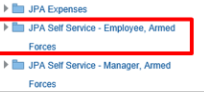
- select Extra Information Types and click on Dental Details
The Dental Details Extra Information screen will appear.
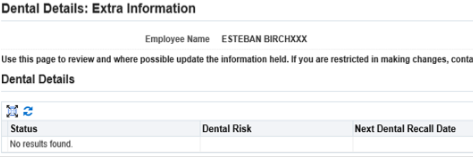
The details displayed will be:
- status
- dental rank
- next dental recall date
If you have more than 10 instances of dental details then you will see the below screen appear:
Use the scroll bar at the bottom of the screen to move right
- click Next
You will then see any additional Dental Details held for you.
If you think some of your details are incorrect, contact your Dental Administrator at your Dental Centre.
