All medical and medical employment details can be viewed within JPA.
If you have a Defence Gateway account you can do this from your own personal device on the MyHealth app (part of the My Series).
What you need to do
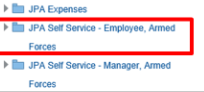
logon to JPA and navigate to JPA Self Service -Employee, Armed Forces
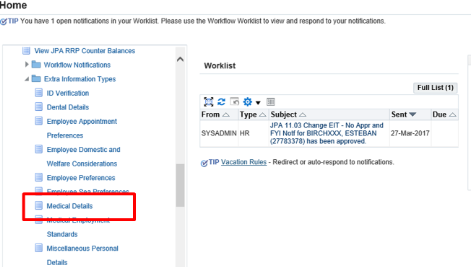
click Medical Details under the Extra Information Types section
The ‘Medical Details: Extra Information’ screen will appear. The following details will be displayed:
status
blood group
colour perception standard
medical warning indicator
logon to JPA and navigate to JPA Self Service -Employee, Armed Forces
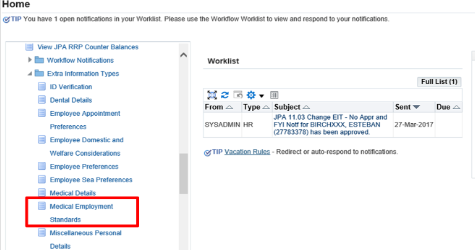
click Medical Employment Standards under the Extra Information Types section
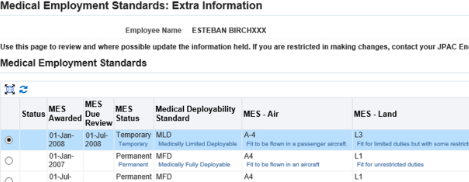
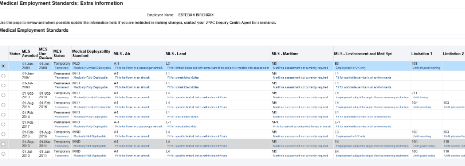
The ‘Medical Employment Standards: Extra Information’ screen will be displayed.
The following details will be shown:
status
MES Awarded Date
MES Due Review Date
MES Status
medical deployability status
MES - Air
MES -Land
MES -Maritime
MES -Environment and Med Spt
limitations 1 -12 (although only 1 -8 will be visible)
The Permanent/Temporary field will show if the MES/Limitations are of a temporary or permanent type, the Effective Date will show the date that the MES or Limitation were assessed.
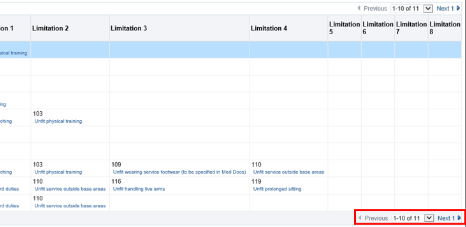
If you have more than 10 instances of Medical Employment Standards then your screen will appear as the below:
Use the scroll bar to scroll right
click Next
You will then see any additional Medical Employment Standards held for you. If you need to change anything or have any other query regarding the details displayed, then contact your Medical Centre.
We use cookies to collect information about how you use this website. We use this information to make the website work as well as possible. Tell us whether you accept these cookies.