A request to terminate an approved FS Arrangement can be made prior to, or at any date within the approved dates of a FS Arrangement.
- logon to JPA and navigate to PA Self Service - Employee, Armed Forces > Flexible Service
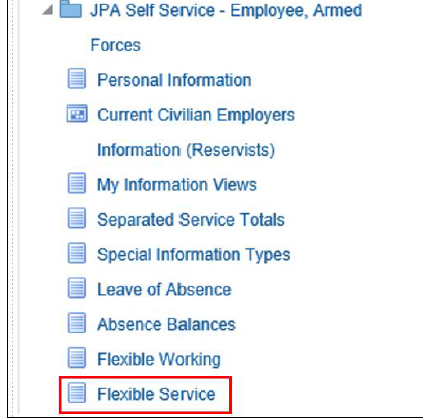
- select the radio button of the approved FS Arrangement
- click View FS

- the Flexible Service Details screen will appear, with the Approved Arrangement Details shown
- select the radio button of the FS Arrangement to be terminated and click the Terminate Arrangement tab
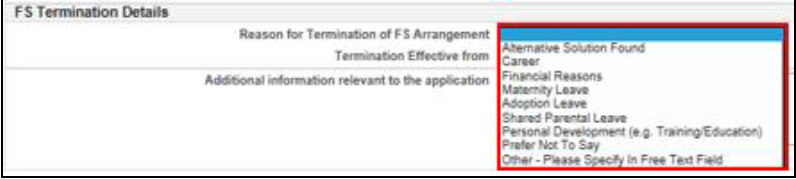
- the FS Termination screen will appear:
- select the appropriate Reason for Termination of FS Arrangement from the drop-down menu
- populate the Termination Effective from date using the pop-up calendar
- note that the Termination Effective from date must be within the dates of the FS Arrangement being terminated
- enter any relevant information in the Additional Information free text box

- when ready to submit, click Next

- review the form and once satisfied click the Submit button to send the termination for processing
- a Workflow Notification will be sent to the next actor in the Chain of Command, your Unit HR Admin
- you will receive a confirmation message informing you the FS Termination has been successfully submitted to Unit HR for processing

